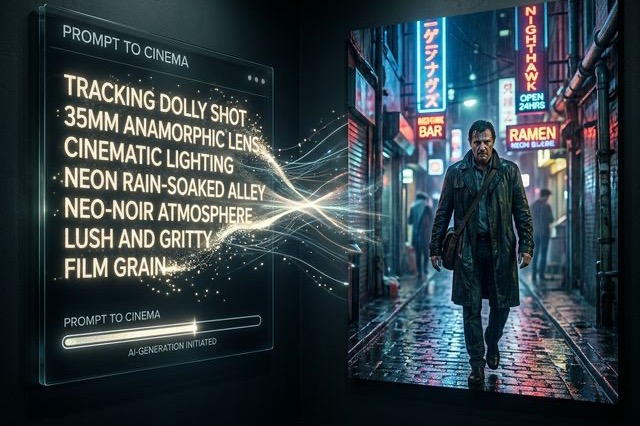
LTX-2.5 Prompt Guide: Better Motion, Camera Direction, Cuts, and Audio
Write clearer LTX-2.5 prompts for subject motion, camera direction, connected cuts, dialogue, ambience, and more consistent video generation.
LTX-2.5 prompts work best when they describe a filmable sequence rather than a loose collection of quality keywords. The model uses an LTX-specific Gemma 4 12B text encoder, so it can interpret natural language, chronology, camera direction, cuts, dialogue, and ambient sound.
The official LTX prompting guide recommends describing events in chronological order and re-establishing framing, subject identity, and audio after every explicit cut.
Start with one clear shot
Build the first version from six elements:
Framing → subject → setting → action → camera movement → audio
For example:
Medium tracking shot. A courier in a dark green raincoat runs through
a narrow neon-lit alley at night. The camera moves beside her at the
same speed while rain reflects blue and magenta light on the pavement.
Footsteps splash through puddles and distant traffic is heard.
This prompt gives the model one subject, one continuous action, one camera instruction, and one sound environment. Add extra style details only after the basic motion works.
Describe physical action
Abstract emotion is difficult to render consistently because a word such as “nervous” can map to many visual behaviors. Describe what the camera can observe:
- Instead of “she is nervous,” write “she grips the envelope, looks toward the door, and takes a short breath.”
- Instead of “the scene becomes dramatic,” specify the light, movement, or edit that creates the change.
- Use present-tense actions in the order they should happen.
Match the amount of action to the requested duration. A long clip with only one tiny action may produce unwanted slow motion or repeated movement.
Give the camera one job
Use a named movement and explain what it follows or reveals:
- “The camera tracks backward, keeping the runner centered.”
- “A slow dolly-in narrows the frame from a medium shot to a close-up.”
- “The camera pans right and stops on the open doorway.”
Avoid stacking a pan, orbit, zoom, crane, and handheld shake into the same short shot. If the viewpoint must change completely, use an explicit cut.
Write cuts as new shots
After a cut, repeat the identifiers that must remain consistent:
A hard cut moves to a close-up of the same courier's wet green sleeve
as she opens the envelope. The blue and magenta alley lighting remains,
and the traffic ambience continues under the sound of tearing paper.
The words “same courier,” “green sleeve,” and the repeated lighting and audio help preserve continuity. For a complete multi-shot structure, use the LTX-2.5 multishot prompt guide.
Treat audio as part of the scene
State what should be heard and when it changes:
- ambient sound: rain, room tone, traffic, machinery;
- dialogue: speaker, exact line, delivery;
- music: whether it starts, continues, fades, or stops;
- silence: specify the moment other sound should end.
For two speakers, identify each person visually and attach each line directly to that speaker. A cut to the active speaker is often easier to control than overlapping dialogue in one wide shot.
Use negative prompts carefully
Negative prompts are most useful for concrete artifacts or styles you repeatedly observe. Start with a short list such as unwanted text, logos, excessive camera shake, heavy motion blur, or a CGI look. Do not use an enormous generic list that may conflict with the positive prompt.
A reusable formula
Shot size and angle → subject identifiers → setting and light → one ordered action → one camera move → dialogue and ambience → explicit cut if needed.
Write clearly before writing richly. Save the seed and change one instruction at a time so you can see which wording changed the result.
Skip the GPU setup. No local install, no VRAM tuning — paste a prompt and render an LTX-2.5 clip in the browser. Try it on ltx-23.org →
Author

LTX-2.5 Editorial Team
The editorial team behind the LTX model guides and workflows published on ltx-23.org.
Categories
More Posts

LTX-2.5 Low VRAM Guide: Can 8GB, 12GB, or 16GB Run It?
Learn the real LTX-2.5 VRAM requirements for 8GB, 12GB, and 16GB GPUs, including official guidance, low-VRAM workflows, and practical tradeoffs.

Fixing LTX-2.3 Native Audio: How to Actually Get Perfect Lip Sync
Is your LTX-2.3 native audio producing horrible lip sync? Here are absolute fixes from Reddit to solve the audio resolution bug and Master Text-to-Video.
LTX-2.5 ComfyUI OOM Fixes: A Practical VRAM Troubleshooting Guide
Fix LTX-2.5 out-of-memory errors in ComfyUI by isolating model loading, text encoding, sampling, upscaling, and VAE decoding.