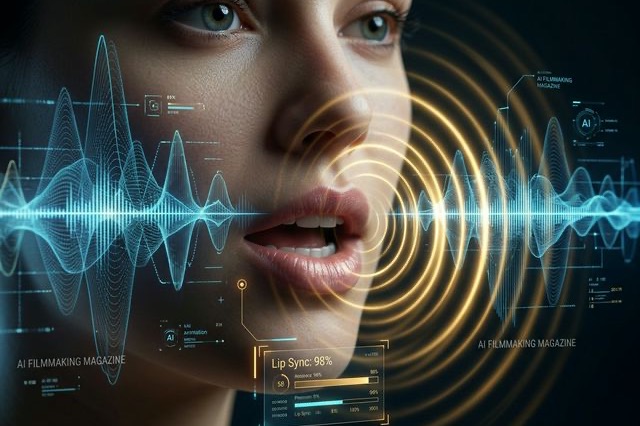
Fixing LTX-2.3 Native Audio: How to Actually Get Perfect Lip Sync
Is your LTX-2.3 native audio producing horrible lip sync? Here are absolute fixes from Reddit to solve the audio resolution bug and Master Text-to-Video.
When Lightricks dropped the bomb that LTX-2.3 would be a genuine T2AV (Text-to-Audio+Video) model, the hype was unreal. The promise was that we could finally type "A businessman angrily yelling into a phone" and get a video that didn't just look angry, but actually generated the synchronized audio of his voice natively.
But if you've been experimenting with LTX-2.3 native audio in ComfyUI, your experience has probably mirrored the nightmare currently unfolding on r/StableDiffusion. Users are complaining about "horrible audio issues," voices that sound like a robot gargling water, and lip-sync that looks like a badly dubbed 1980s martial arts movie.
I've spent the last 48 hours ripping apart ComfyUI audio nodes, testing different frame rates, and testing the advice shared by top creators on X. Here is the unvarnished truth about why your audio sucks, and exactly how to fix it.
Why the Promised "Native Audio" is Hit or Miss
Let’s be clear: the technology works. When it hits, it feels like absolute magic. The model doesn't just guess what audio should sound like; it generates the visual phonemes (the shape of the mouth) concurrently with the sound waves.
The problem is that the ComfyUI workspace was originally built for silent video. Cramming integrated audio generation into it has created a few massive, frustrating bottlenecks.
1. The Notorious "Resolution Bug"
This is the number one reason your lip-sync looks completely detached from the audio. There is a deeply buried "Resolution Bug" in how certain ComfyUI nodes handle the audio latent space.
If your base video resolution is set to something non-standard (e.g., you manually typed in 1024x576 instead of sticking to standard 16-pixel increments), the audio VAE goes out of alignment. The visuals process slightly faster or slower than the sound generation. By frame 30, your character is speaking a full second behind the actual audio track.
- The Fix: Stick strictly to native training resolutions (like 1280x720 or 480x832). Never freestyle your resolution numbers when relying on LTX-2.3 native audio.
2. Frame Rate is Everything
Another massive pitfall discussed on X is the frame rate. Many users default to rendering 24 FPS (Frames Per Second) because it feels "cinematic."
Here is the problem: human speech requires incredibly fast, micro-movements of the lips. At 24 FPS, the LTX-2.3 model sometimes simply drops the frames containing the most vital lip shapes (especially 'P', 'B', and 'M' sounds).
- The Fix: Reddit's current consensus is to push your render pipeline to 30 FPS or even 48 FPS when doing heavy talking-head generation. The smoother the frame rate, the better the native lip-sync algorithm maps to the generated sound wave.
The Image/Audio Strength Balancing Act
If you are using Image-to-Video (providing a starting portrait and then prompting them to speak), you have to balance two completely opposing forces: Image Strength and Audio Strength.
If you crank the Image Strength too high, the model will try to preserve the starting frame so aggressively that the character's jaw refuses to open. The audio plays, but they look like a ventriloquist. If you crank the Audio Strength too high without proper textual bounds, the mouth stretches into terrifying, unnatural shapes as it prioritizes hitting every single syllable over human anatomy.
The Golden Ratio:
Drop your Image Strength down to roughly 0.65 as soon as the speaking action begins, and set your Audio Guidance (if your custom nodes support it) to 1.5.
Multi-Character Audio is Still a Mess
I need to manage your expectations: If you prompt "Two men sitting at a table arguing," the native audio will likely fail.
The current LTX-2.3 model struggles intensely with speaker diarization (knowing who is supposed to be talking). In 90% of my tests, it either blended both voices into one cursed, overlaid entity, or it made Character A’s lips move to Character B’s voice.
If you want a multi-character scene, do not rely on a single generation. Render Character A speaking. Then render Character B speaking. Stitch the audio and video together in an NLE like Premiere or DaVinci Resolve.
Is It Worth the Hassle?
Yes, absolutely.
When you configure your nodes correctly, avoid the resolution bug, and hit that 30 FPS sweet spot, LTX-2.3 native audio is a complete game-changer. Being able to prompt not just lighting and camera angle, but the actual tone and inflection of a voice acting performance natively in one pass, is the Holy Grail of AI filmmaking.
Stop rendering in weird resolutions, tweak your frame rates, and go experience the magic for yourself.
Author

LTX-2.5 Editorial Team
The editorial team behind the LTX model guides and workflows published on ltx-23.org.
Categories
More Posts
Ultimate LTX 2.3 ComfyUI Workflow Guide: Trending Reddit & X Setups (2026)
Master the LTX 2.3 ComfyUI workflow for AI video. Learn low VRAM setups, Gemma 3 text encoder tips, and advanced image-to-video techniques from Reddit.
LTX Desktop Honest Review (2026): Is It Actually Better Than ComfyUI?
An unfiltered deep dive into LTX Desktop vs ComfyUI. We tested its local rendering capabilities and gathered Reddit tips to keep your setup from crashing.
LTX-2.5 ComfyUI OOM Fixes: A Practical VRAM Troubleshooting Guide
Fix LTX-2.5 out-of-memory errors in ComfyUI by isolating model loading, text encoding, sampling, upscaling, and VAE decoding.