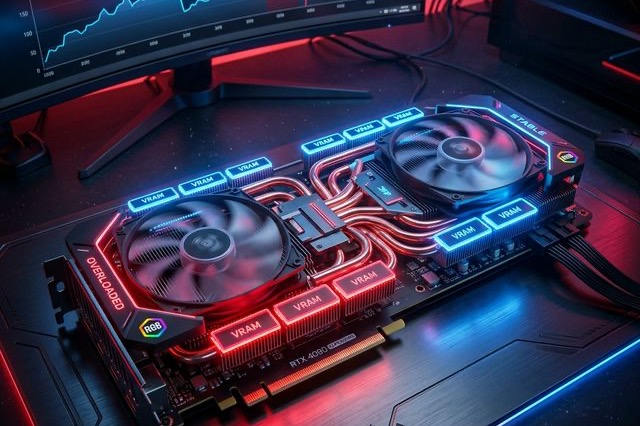
LTX-2.5 ComfyUI OOM Fixes: A Practical VRAM Troubleshooting Guide
Fix LTX-2.5 out-of-memory errors in ComfyUI by isolating model loading, text encoding, sampling, upscaling, and VAE decoding.
An out-of-memory error in an LTX-2.5 workflow does not always mean that the GPU is unusable. It means one stage of the graph exceeded the memory available at that moment. The useful first step is to identify whether the failure happens while loading components, encoding text, sampling, upscaling, or decoding the final video.
The LTX-2.5 model page lists 16GB as the minimum VRAM. If hardware troubleshooting is delaying your shot, generate an LTX-2.5 clip in the browser. The official ComfyUI guide recommends a CUDA GPU with 32GB or more VRAM for the complete workflow. Those figures describe different operating points: a minimum that may require compromises and a recommended configuration with more room for full components and multi-stage generation.
1. Start with the distilled single-stage workflow
Use the official distilled workflow before adding spatial upscaling, temporal refinement, audio, or custom adapters. A small known-good graph helps distinguish a model-loading problem from the extra memory required by optional stages.
Keep the first test short and at a moderate base resolution. Once that run succeeds, add one feature at a time:
- Confirm the base video path.
- Enable audio generation.
- Add the spatial upscaler.
- Add refinement or IC-LoRA controls.
- Increase duration or resolution last.
If several variables change together, the next failure does not reveal which stage caused it.
2. Choose a checkpoint your hardware supports
The official LTX-2.5 repository publishes the Dev and Distilled transformers in BF16, ComfyUI-specific INT8 ConvRot weights, and NVFP4 weights for supported Blackwell GPUs.
- BF16: the broadest official baseline, but requires the most memory.
- INT8 ConvRot: packaged specifically for ComfyUI and intended to reduce memory pressure.
- NVFP4: designed for compatible Blackwell hardware and the LTX kernels path.
Do not choose a file only because its name looks smaller. Confirm that the selected loader, GPU architecture, and workflow support the format.
3. Isolate the text encoder
LTX-2.5 uses a model-specific Gemma 4 12B text encoder. It is a separate component in the split checkpoint pack and can create a substantial memory peak before video sampling begins.
If the graph fails while encoding the prompt, verify that you loaded the LTX-specific encoder and use the workflow's supported CPU or system-memory offloading option. Do not substitute a stock Gemma checkpoint; the official repository warns that the expected encoder version is checked against the model.
4. Watch the decode and upscale stages
A graph that reaches the end of sampling and then crashes usually needs a different fix from a graph that cannot load the transformer. The official pack includes both a diffusion video decoder and a lighter convolutional decoder. The diffusion decoder can improve quality but costs more decode time and VRAM.
When the final stage fails:
- test the lighter supported decoder;
- reduce the base frame count;
- disable the second stage temporarily;
- lower decode tile size where the workflow exposes it;
- close other GPU-heavy applications before the run.
5. Keep a reproducible baseline
Save the exact checkpoint names, node versions, resolution, frame count, and features used by the last successful graph. Change one variable per test and record where the failure occurs.
For a hardware-tier overview, read the LTX-2.5 low-VRAM guide. Once the base graph is stable, use the LTX-2.5 prompt guide to reduce unnecessary reruns.
Skip the GPU setup. No local install, no VRAM tuning — paste a prompt and render an LTX-2.5 clip in the browser. Try it on ltx-23.org →
Author

LTX-2.5 Editorial Team
The editorial team behind the LTX model guides and workflows published on ltx-23.org.
Categories
More Posts
LTX-2.5 Low VRAM Guide: Can 8GB, 12GB, or 16GB Run It?
Learn the real LTX-2.5 VRAM requirements for 8GB, 12GB, and 16GB GPUs, including official guidance, low-VRAM workflows, and practical tradeoffs.

LTX-2.5 License Explained: Commercial Use and Fine-Tune Rules
Understand the LTX-2.5 license, including the $10M revenue threshold, commercial use, fine-tuned models, redistribution, and attribution requirements.
LTX-2.5 IC-LoRA Guide: Video Editing and Control in ComfyUI
Explore LTX-2.5 IC-LoRA workflows for pose control, motion guidance, inpainting, outpainting, consistent characters, and video upscaling.