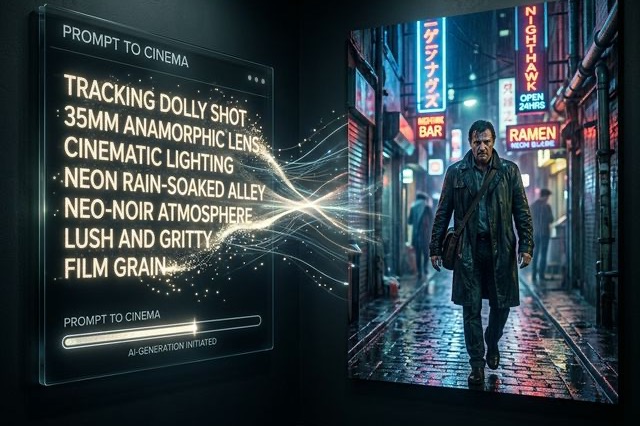
The Ultimate LTX 2.3 Prompt Guide: Stop Getting 1970s CGI Crap
An unfiltered LTX 2.3 prompt guide packed with Reddit formulas. Learn absolute camera movement control, audio, and negative prompts for melting fixes.
Let’s get one thing straight: If you treat LTX 2.3 like Midjourney, you are going to have a terrible time.
If you've spent any time reading the "First Impressions" threads on r/StableDiffusion recently, you've probably seen a harsh divide. Half the users are posting breathtaking, cinematic masterpieces that rival Sora. The other half are angrily posting videos that look like awful, melted 1970s CGI with bizarre background music.
The difference isn't their graphics cards. The difference is entirely in their prompting.
After analyzing the most successful viral posts on X (Twitter) and testing hundreds of iterations, I’ve compiled the definitive LTX 2.3 prompt guide. This isn't a list of generic "make it look cool" keywords; this is the structural formula you need to force the model to behave.
The Iron-Clad Prompting Formula
LTX 2.3 uses the Gemma 3 12B Instruct text encoder. This means it is incredibly smart, but it takes things literally. If you use poetic, abstract language ("a melancholic feeling of sadness"), the model panics and generates blurry nonsense.
You need to write like a highly demanding film director. The golden formula dominating Reddit right now is: Subject → Setting → Core Action (Present Tense) → Camera Movement → Lighting/Mood → Audio
Example Breakdown:
❌ Bad Prompt: A really cool cyberpunk guy runs away from cops in the rain, it looks super cinematic and epic, sad music plays. ✅ Good Prompt: Medium shot. A man in a glowing neon jacket runs frantically down a wet alleyway. Rain pours heavily. The camera tracks laterally, keeping pace with him. High contrast, cinematic lighting, neon blue and magenta reflections. Heavy breathing and splashing footsteps, sirens in the distance.
Controlling the Camera (Do Not Let the AI Choose)
One of the biggest complaints on X is the dreaded "Ken Burns effect"—where the video just lazily zooms in on a static image. LTX 2.3 has phenomenal camera control, but only if you explicitly ask for it. You must use actual cinematography terms.
- For following a subject: Use Tracking shot, matching speed with the subject.
- For establishing a scene: Use Drone shot, panning slowly from left to right.
- For dramatic reveals: Use Push-in dolly shot, narrowing focus on the subject's face.
Crucial Tip: Tell the camera how to end. If you just say "pan right," the model might violently whip the camera around. Say "camera pans smoothly to the right and comes to a halt on the red door."
Negative Prompts: The Lifesaver
With LTX 2.3, your negative prompt is just as important as your positive one. The model has a nasty habit of hallucinating artifacts if left unchecked. Here is the survival kit of negative prompts you should be pasting into every single workflow:
To kill the plastic look:
3d, cgi, low resolution, plastic texture, flat lighting, overexposed
To fix crazy camera movements:
Dutch angle, rapid handheld, rolling shutter wobble, extreme motion blur, fast cuts, shaky footage
To silence the phantom orchestra:
Since LTX 2.3 generates audio natively, it will sometimes inject a massive orchestral movie score even if your video is just a guy drinking coffee. If you don't want music, your negative prompt must include:
music, score, soundtrack, cinematic music, background track
The Golden Rules of LTX 2.3
Print these out and stick them on your monitor:
- Never use past tense. The video is happening now. Say "A man is walking," not "A man walked."
- Action dictates length. If you ask for a 10-second video of "a man blinking," the model will stretch that blink out entirely resulting in slow-motion warping. Match the action complexity to the duration of your clip.
- Be painfully literal. Describe the actual physical manifestation of an emotion. Don't say "she looks angry." Say "she frowns heavily, her eyes narrow, her jaw is clenched."
Mastering this LTX 2.3 prompt guide takes a bit of practice. It requires you to stop treating the AI like a magical mind reader and start treating it like a slightly dense, heavily literal camera operator. Once you make that mental switch, the 1970s CGI crap will disappear, and you'll actually start generating cinematic gold.
More Posts
LTX 2.3 FP8 Performance Exposed: Is the ComfyUI Speed Boost Actually Worth It?
An unfiltered look at LTX 2.3 FP8 performance via Reddit benchmarks. See if ComfyUI speed boosts are worth the quality drop and fix the 1970s CGI look.
Ultimate LTX 2.3 ComfyUI Workflow Guide: Trending Reddit & X Setups (2026)
Master the LTX 2.3 ComfyUI workflow for AI video. Learn low VRAM setups, Gemma 3 text encoder tips, and advanced image-to-video techniques from Reddit.
LTX Desktop Honest Review (2026): Is It Actually Better Than ComfyUI?
An unfiltered deep dive into LTX Desktop vs ComfyUI. We tested its local rendering capabilities and gathered Reddit tips to keep your setup from crashing.