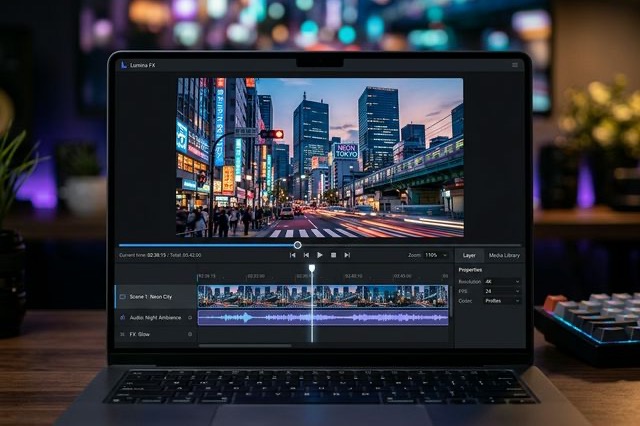
LTX Desktop Honest Review (2026): Is It Actually Better Than ComfyUI?
An unfiltered deep dive into LTX Desktop vs ComfyUI. We tested its local rendering capabilities and gathered Reddit tips to keep your setup from crashing.
Let's be completely real for a second. If you've spent any time on r/StableDiffusion or AI Twitter (X) over the last few months, you've probably seen the endless debates about LTX Desktop. Half the timeline is screaming that it's the absolute "Sora killer," while the other half is endlessly complaining about hardware requirements and those controversial delays late last year.
I finally got tired of reading other people's hot takes and spent the last three weeks daily-driving the LTX Desktop application. I wanted to see if replacing my tangled, spaghetti-mess of a ComfyUI workflow with a clean, packaged desktop app was actually worth it.
Here is the unfiltered truth about what works, what absolutely sucks, and how to actually get usable, cinematic video out of it without melting your graphics card.
LTX Desktop vs. LTX Studio: Clearing Up the Confusion
Before diving in, we need to address the biggest point of confusion I see popping up in Reddit threads daily: the difference between LTX Studio and LTX Desktop.
LTX Studio is their web-based platform. It's fantastic for storyboarding, but it eats through your subscription tokens incredibly fast. If you're an indie filmmaker running 50 iterations of a 3-second clip just to get the finger anatomy right, the web version will bankrupt you.
LTX Desktop, on the other hand, is the local, standalone application powered by the LTX-2 foundation model. You download it, install it, and use your own local GPU to generate videos. No token fees, no subscription limits, complete privacy. But—and this is a massive 'but'—you pay for that freedom with your own hardware.
The Hardware Reality Check (Don't Ignore This)
If you look at X, you'll see influencers posting buttery-smooth 4K 60fps clips claiming they "generated this in minutes." What they aren't disclosing is that they have a $3,000 RTX 4090 under their desk.
Running LTX Desktop on a Mid-Range Setup
I tested this on my secondary machine: an RTX 3080 with 10GB of VRAM. Officially, the documentation says this is supported. Unofficially? You are going to have to make some compromises.
When you first open LTX Desktop, the temptation is to crank the resolution to 1080p and max out the steps. Do not do this. My app crashed straight to the desktop three times before I swallowed my pride and checked the community forums.
Here is the exact setup you should use if you have 10GB - 12GB of VRAM:
- Model Selection: Switch to the Quantized (GGUF) model in the settings menu before you do anything else. The uncompressed model will instantly bottleneck you.
- First Pass Resolution: Keep your base generation at no higher than 480x832.
- Step Count: Drop your steps down to 15. The UI pushes you towards 30, but the diminishing returns after 15 steps aren't worth the extra 4 minutes of rendering time per clip.
Once I dialed these in, LTX Desktop stopped crashing and started churning out 5-second clips in roughly 4 minutes. Not lightning-fast, but entirely workable for a local setup.
Where LTX Desktop Beats ComfyUI
I've built some incredibly complex ComfyUI workflows for LTX 2.3. So why use a standalone desktop app?
1. The UI is Actually Built for Filmmakers In ComfyUI, you feel like a database engineer wiring nodes together. LTX Desktop actually operates like a non-linear editor (NLE). The timeline interface makes intuitive sense. You drag your starting frame here, type your prompt there, and adjust motion sliders. You don't need a PhD in Python dependencies to realize you accidentally disconnected a VAE node.
2. Built-in Audio Generation This is the feature that made me stick around. The fact that the LTX-2 model has integrated audio generation, and the Desktop app matches it perfectly to the timeline, is borderline magic. I generated a clip of a cyberpunk car driving through rain, and the app baked in the tire hiss and engine hum automatically. Syncing this manually in Premiere Pro would have taken me 20 minutes; LTX Desktop did it simultaneously.
3. Integrated Latent Upscaling Working out the perfect two-stage latent upscaling pipeline in ComfyUI took the community weeks. LTX Desktop has an "Upscale" toggle built right into the bottom right corner. You click it, and it automatically handles the half-res to full-res transition without losing temporal consistency.
The Flaws and Bugs (What They Need to Fix)
It is not a perfect application, and the X community hasn't been shy about pointing out the flaws.
- Storage Bloat: LTX Desktop does not manage its cache well. Every aborted generation, every half-rendered frame seems to live invisibly on your C: drive. I lost 60GB of storage space in two weeks before I found the "Clear App Cache" button hidden three menus deep in the preferences.
- The Prompt Box is Finicky: Unlike Midjourney, which understands "vibes," LTX Desktop responds terribly to poetic language. If you say "a melancholic feeling of sadness in the rain," it will give you a blurry mess. You have to prompt it like a security camera: "Medium shot. Man walking. Rain. Dark street." You have to be overly literal.
- No Native LoRA Support (Yet): The biggest missing piece right now compared to the Comfy ecosystem is the lack of straightforward LoRA loading. If you want to use a specific character style model you trained locally, the current desktop build makes you jump through too many file-folder specific hoops.
Verdict: Who is This Actually For?
If you are a hardcore AI tinkerer who wants direct control over every single CFG scale, scheduler type, and attention mask, stick to your ComfyUI workflow. You will find LTX Desktop too restrictive.
However, if you are a creative director, a YouTuber, or an indie dev who just wants to make videos without feeling like you are assembling a car engine from scratch every morning, LTX Desktop is worth the hard drive space.
It abstracts away the coding nightmare of local AI video generation and replaces it with a surprisingly stable, highly capable UI. Just make sure you tweak your VRAM settings before hitting that render button.
Author

LTX-2.5 Editorial Team
The editorial team behind the LTX model guides and workflows published on ltx-23.org.
Categories
More Posts
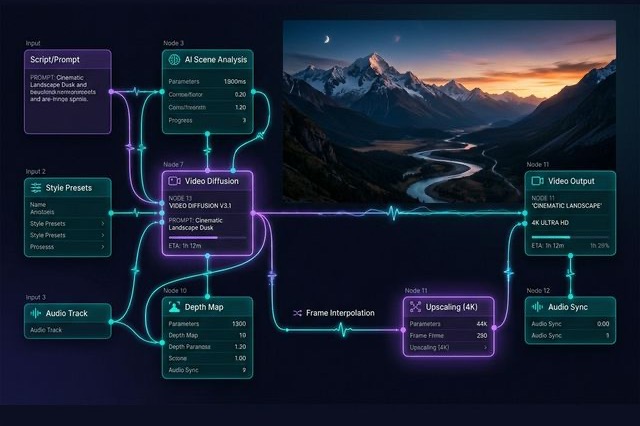
Ultimate LTX 2.3 ComfyUI Workflow Guide: Trending Reddit & X Setups (2026)
Master the LTX 2.3 ComfyUI workflow for AI video. Learn low VRAM setups, Gemma 3 text encoder tips, and advanced image-to-video techniques from Reddit.
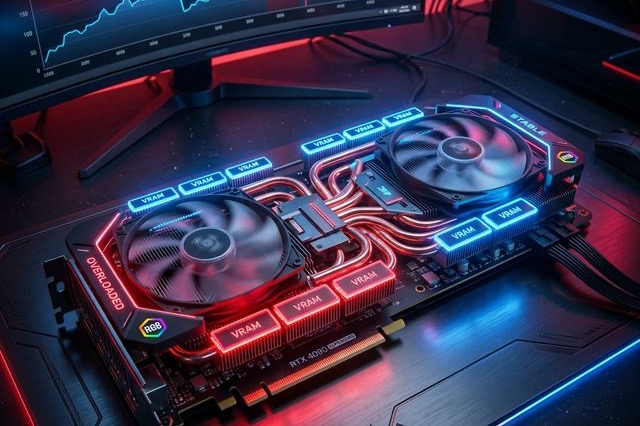
LTX-2.5 ComfyUI OOM Fixes: A Practical VRAM Troubleshooting Guide
Fix LTX-2.5 out-of-memory errors in ComfyUI by isolating model loading, text encoding, sampling, upscaling, and VAE decoding.

LTX-2.5 Multishot Prompts: A Practical Guide to Better Cuts
Learn how to write LTX-2.5 multishot prompts with clear cuts, consistent characters, continuous audio, and a reusable three-shot prompt example.