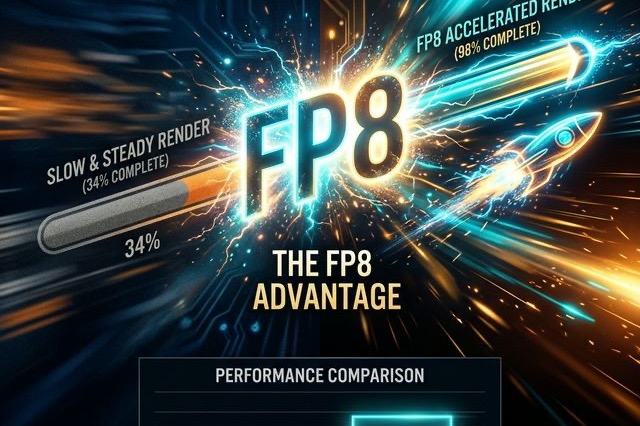
LTX 2.3 FP8 Performance Exposed: Is the ComfyUI Speed Boost Actually Worth It?
An unfiltered look at LTX 2.3 FP8 performance via Reddit benchmarks. See if ComfyUI speed boosts are worth the quality drop and fix the 1970s CGI look.
Let’s skip the marketing fluff. If you hang around r/StableDiffusion or any of the hard-core AI video X (Twitter) spaces, you know the absolute hottest topic right now isn't the base model itself—it’s LTX 2.3 FP8.
Everyone is collectively losing their minds over the sheer speed of this 8-bit floating-point quantization. You’ve probably seen the posts: "I just rendered a 10-second cinematic clip on my RTX 3090 in under 11 minutes!" or "The FP8 kernel update completely changed my ComfyUI workflow."
But there’s a darker side to the FP8 hype that the viral tweets conveniently leave out. A vocal subset of users on Reddit are complaining that their FP8 renders look like "awful 1970s CGI crap," suffering from random background music injection (yes, the model hallucinates audio now) and the dreaded melting artifacts.
I spent the last two weeks benching the FP8 version against the uncompressed Dev models and the GGUF variants. Here is the unvarnished truth about LTX 2.3 FP8 performance, the hidden catches, and whether you should actually make the switch in your daily workflow.
What Actually is the LTX 2.3 FP8 Model?
If you aren't a computer science major, here is the dummy’s guide to FP8.
The original, uncompressed AI models operate at FP16 (16-bit precision) or FP32. This means every single mathematical weight in the neural network has a massive, highly detailed 16-bit number attached to it. It makes the video quality pristine, but it requires a supercomputer to run fast.
FP8 (8-bit precision) takes a digital machete to the model. It chops those numbers in half. The theory is that neural networks are smart enough that they don't actually need that extreme level of mathematical precision to draw a coherent video. By halving the precision, you effectively double your generation speed and halve your VRAM usage.
The Benchmark Truth: How Fast is It Really?
Let’s look at the numbers. Forget the synthetic server benchmarks; here is what real users are getting on consumer hardware in ComfyUI right now.
High-End Hardware (RTX 4090 / 5070 Ti)
If you are running an RTX 4090 or the newer 5070 Ti, the LTX 2.3 FP8 model is an absolute beast. Because these newer cards (Ada Lovelace architecture and beyond) have native, hardware-level support for FP8 calculations, the speedup is exponential.
- The Numbers: Reddit users report generating a 10-second, full HD (1080p) clip in roughly 6 to 7 minutes.
- VRAM: Usage drops to a buttery-smooth 12.3 GB. You can safely have YouTube running in the background without ComfyUI crashing.
Mid-Range Hardware (RTX 3090 / 4070)
Here is where things get interesting. The RTX 3090 has 24GB of VRAM, but it’s an older Ampere card—which means its native FP8 support isn't as robust as the 40-series.
- The Numbers: Generating a 10-second, 720p clip takes about 5 minutes. Bumping that to 1080p pushes the render time to roughly 11 minutes.
- The Catch: While it's significantly faster than FP16, it still feels like a heavy lift compared to the newer architecture.
The Ugly Side of FP8: Quality Degradation
This is the part the viral X posts don't show you. Chopping the precision in half does have consequences. While LTX 2.3 is a massive improvement over LTX 2, the FP8 compression exacerbates some of its worst quirks.
1. The "1970s CGI" Effect
Because the FP8 model has less "mathematical nuance," it relies heavily on extremely literal prompting. If your prompt is short and vague—like "a man walking in the rain"—the FP8 model panics. It defaults to the most basic, plastic-looking, shiny textures in its dataset. You end up with a video that looks like a cutscene from a PlayStation 2 game.
- The Fix: You have to write prompts like a cinematographer. "35mm film, anamorphic lens, high contrast, skin pores visible, cinematic lighting, a weathered man in a trench coat walking down a wet, neon-lit alley."
2. Audio Hallucinations
LTX 2.3 natively creates audio alongside the video. However, the FP8 compression seems to mess with the cross-attention layers. Numerous Reddit users are reporting that the FP8 model randomly injects cinematic orchestral music or bizarre ambient noise into clips, even if you explicitly put "music, score, soundtrack" in the negative prompt.
3. The "Melting" Coherence
If you try to generate a clip longer than 15 seconds using FP8 without a two-stage sampling process, the background will inevitably start to melt. The structural coherence breaks down much faster in 8-bit precision than it does in 16-bit precision.
FP8 vs. GGUF: What Should You Download?
If you are trying to save VRAM and speed up ComfyUI, you currently have two choices: FP8 or GGUF (specifically Q4_0 or Q5).
Choose LTX 2.3 FP8 if:
- You have an RTX 4080, 4090, or the new 50-series cards. Your hardware is literally built to run this format. It will fly.
- You are doing rapid prototyping. You want to test 50 different camera angles in an hour before committing to a final, high-res render.
Choose LTX 2.3 GGUF if:
- You are on a 30-series card or a laptop GPU. GGUF is much better at aggressively offloading tasks to your system RAM (CPU) without instantly crashing.
- You care obsessively about micro-details and cannot stand the plastic, smoothed-over look that FP8 occasionally produces.
Final Verdict
The LTX 2.3 FP8 model is not a magic bullet that gives you flawless 4K video in 30 seconds. It is a highly compressed, utilitarian tool.
It demands that you become exceptionally good at precise, cinematographer-level prompting. If you put garbage in, FP8 will give you worse garbage out than the Dev model would. But if you take the time to learn its quirks, lock down your ComfyUI workflow, and feed it highly structured prompts, it is the most powerful rapid-iteration tool currently available to open-source creators.
Update your ComfyUI, make sure your torch versions are up to date, and go see the speed for yourself.
More Posts
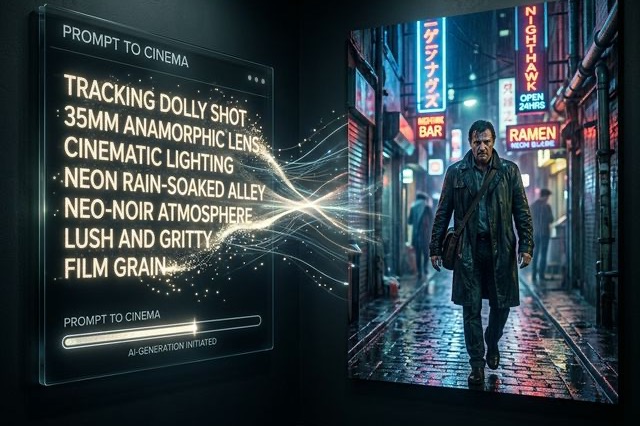
The Ultimate LTX 2.3 Prompt Guide: Stop Getting 1970s CGI Crap
An unfiltered LTX 2.3 prompt guide packed with Reddit formulas. Learn absolute camera movement control, audio, and negative prompts for melting fixes.
The Brutal Truth About LTX 2.3 VRAM Requirements: How to Fix OOM Errors in 2026
Stop crashing your ComfyUI workflow. Here is the ultimate guide to LTX 2.3 VRAM requirements with Reddit's best tricks from SageAttention to Tiled VAE.
LTX Desktop Honest Review (2026): Is It Actually Better Than ComfyUI?
An unfiltered deep dive into LTX Desktop vs ComfyUI. We tested its local rendering capabilities and gathered Reddit tips to keep your setup from crashing.